Skip to content
Sudeep PaulEnquire
SGE 3-Day Master Class · Pune · 29–31 January 2027

If freehand works in your hands, guided should earn its place.

You already know how to place implants.

This programme is about understanding where digital planning and guided workflows can add another layer of pre-operative validation, prosthetic control and predictable transfer — without replacing the clinical judgement of the surgeon.

Understand the planning.Control the workflow.Execute with confidence.

Pune · 29–31 January 2027₹36,000 including GST Venue to be announced soon
Get Pune programme details

See the programme structure, learning outcomes and registration details.

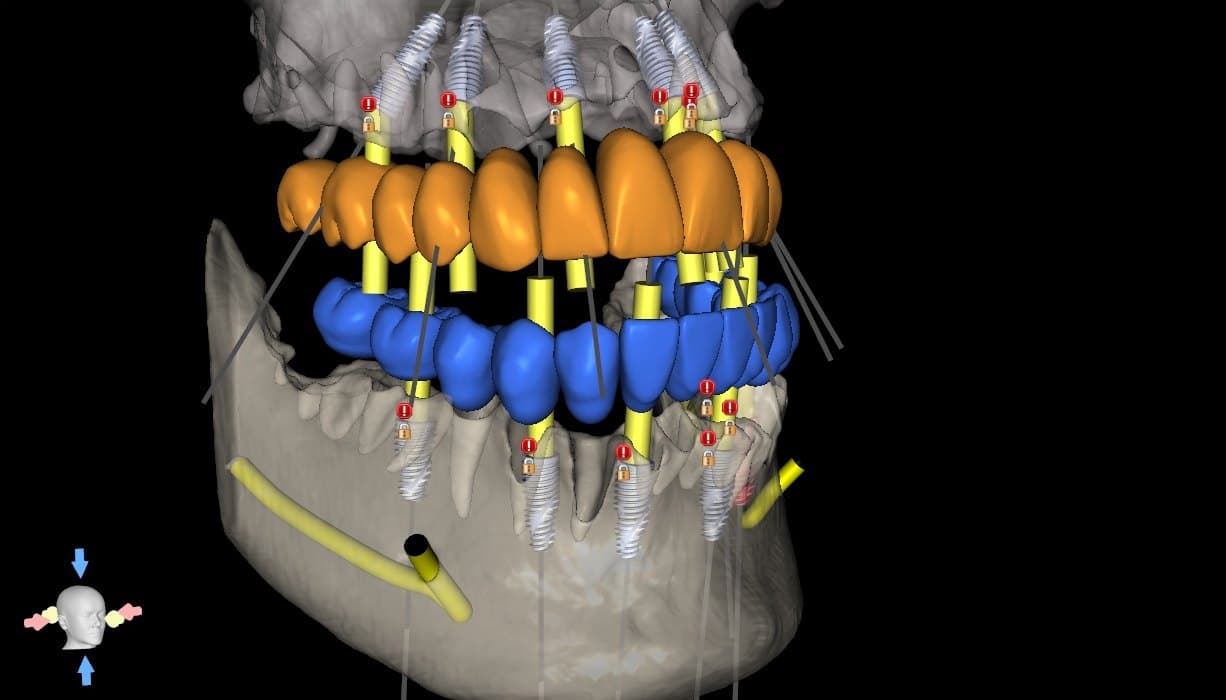
Full-arch plan verification: upper and lower prosthetic set-ups with planned implant positions and trajectories
Full-arch plan verified against the restorative set-up — representative previous case
Why Guided?

You already know how to place implants. So what does guided actually add?

Experienced surgeons do not need technology simply because it exists. Guided implantology becomes valuable when it helps you make, inspect and validate critical decisions before clinical execution.

Your Clinical Judgement

  • surgical experience
  • anatomical understanding
  • tactile judgement
  • case selection
  • intra-operative decision-making

+ Another Layer of Control

  • visualise implant position against the restorative objective
  • review anatomy and available bone before surgery
  • evaluate trajectory, access and restorative space
  • validate the plan before transferring it clinically
  • reproduce a planned position more consistently when the case benefits from guidance

The guide is not the intelligence.
The decisions behind it are.

Guided surgery is not necessary for every implant case. The objective is to understand where it adds value, where it adds complexity, and how to make that decision intelligently.

Your Starting Point

Different starting points. One workflow to understand.

I already place implants conventionally

Freehand works for me. Where does guided genuinely add value?

The programme helps you understand how planning, validation and controlled transfer can complement your existing surgical experience — and when the additional workflow is clinically worthwhile.

Validate → Execute

Your surgical judgement stays central.
I want to start using guided workflows

I see the potential, but I don't know the correct way to begin.

Acquire → Plan → Validate

I already use surgical guides

I want to understand why guided cases can still go wrong.

Validate → Design → Execute → Review

Connected Workflow

Guided implantology is a workflow — not a single step.

  1. 01

    Acquire

    CBCT + IOS / STL

  2. 02

    Plan

    Anatomy + prosthetic objective + implant position

  3. 03

    Validate

    Bone · vital structures · restorative space · trajectory · access

  4. 04

    Design

    Guide support · seating · sleeve strategy · workflow

  5. 05

    Execute

    Transfer the validated plan clinically

  6. 06

    Review

    Surgical + restorative result

Planning creates the proposal. Validation creates confidence.

The guide is only one part of that chain.

What Can Go Wrong?

A surgical guide can fit — and the workflow can still be wrong.

Guided surgery becomes safer and more useful when you know what to question.

The goal is not blind confidence in digital workflows. It is the judgement to:

review → challenge → validate

  • Data can be wrong
  • Plan can be wrong
  • Validation can be incomplete
  • Guide strategy can be wrong
  • Guide can seat incorrectly
  • Clinician can trust the digital output too much
Learning Outcomes

What should change in the way you approach a guided case after these three days?

  1. 01

    Understand the data

  2. 02

    Read the plan — not just view it

  3. 03

    Validate before you execute

  4. 04

    Recognise common failure points

  5. 05

    Know when guided adds value

  6. 06

    Take greater control of the workflow

You do not need to do every technical step yourself. You should understand enough to know what you are accepting.

Software Is a Tool

The software can show you the plan. It cannot take responsibility for the decision.

  • Anatomy
  • Prosthetic objective
  • Trajectory & access
  • Guide strategy
  • Clinical reality

Software helps you see more. Clinical judgement decides what you do with it.

Real Clinical Proof

Don't just take the workflow on trust. See the decisions behind it.

Representative workflow examples from previous guided cases

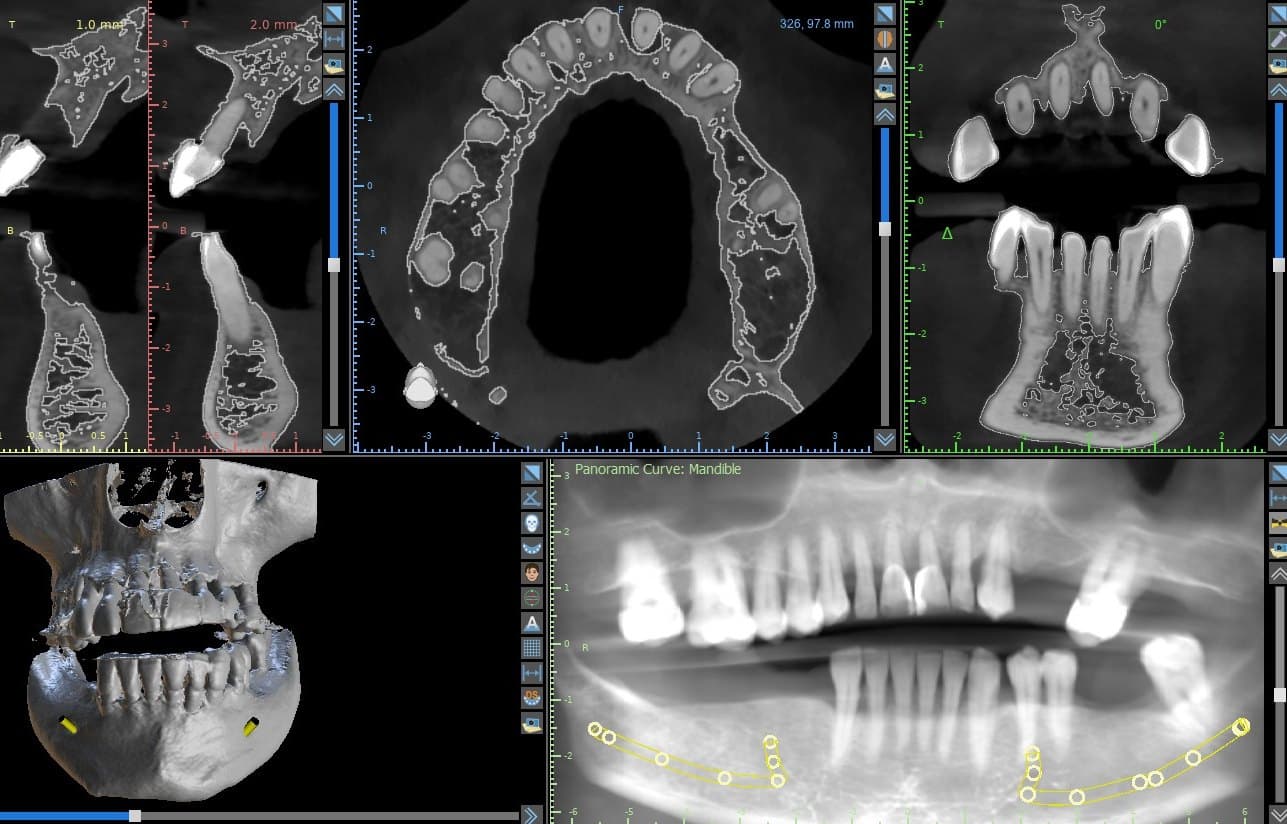
CBCT cross-sections, axial slice, 3D reconstruction and panoramic curve of the mandible with the nerve canal traced, before implant planning
Unaltered clinical record

01

Diagnostic data

What it shows
CBCT sections, panoramic curve and 3D reconstruction, with the nerve canal traced — before any implant is placed.
The decision
What the anatomy allows, and where its limits are.
Why it matters
Every later step inherits this data.
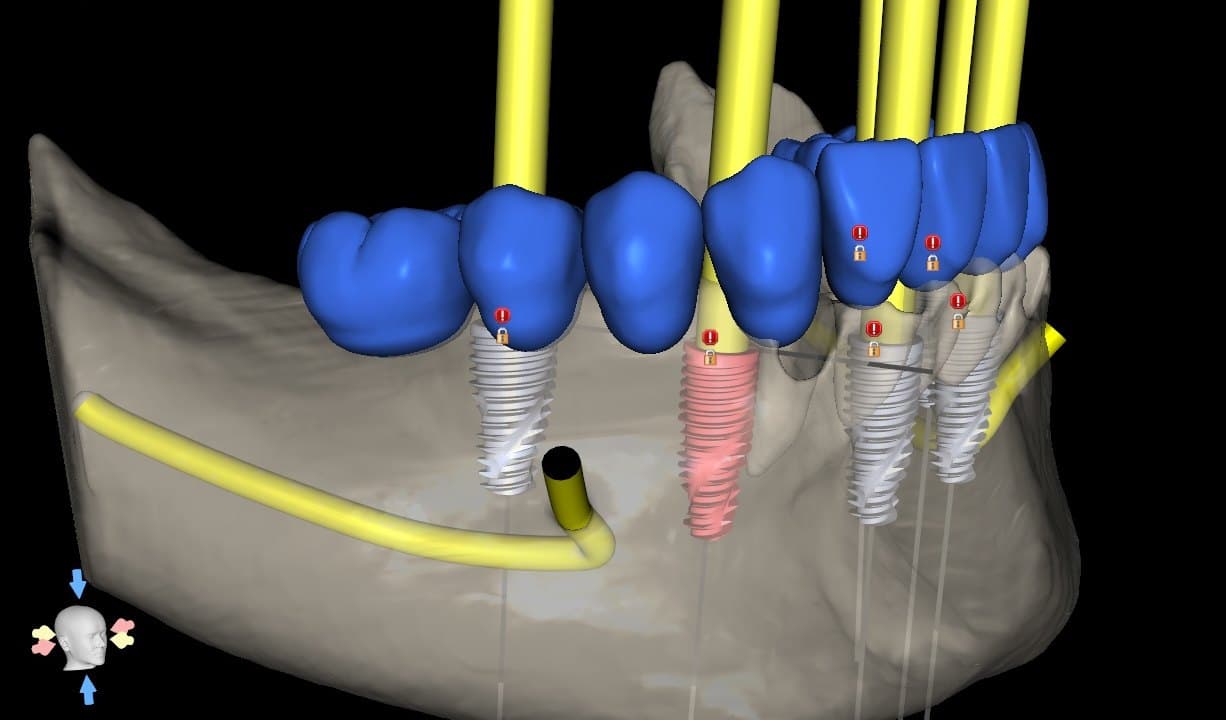
3D planning view of the mandible with planned implants, the prosthetic tooth set-up and the traced nerve canal
Unaltered clinical record

02

Implant plan

What it shows
Implant positions planned against the prosthetic set-up and the traced nerve canal.
The decision
Where each implant goes — restoration first, anatomy respected.
Why it matters
A position that looks right in one view can conflict in another.
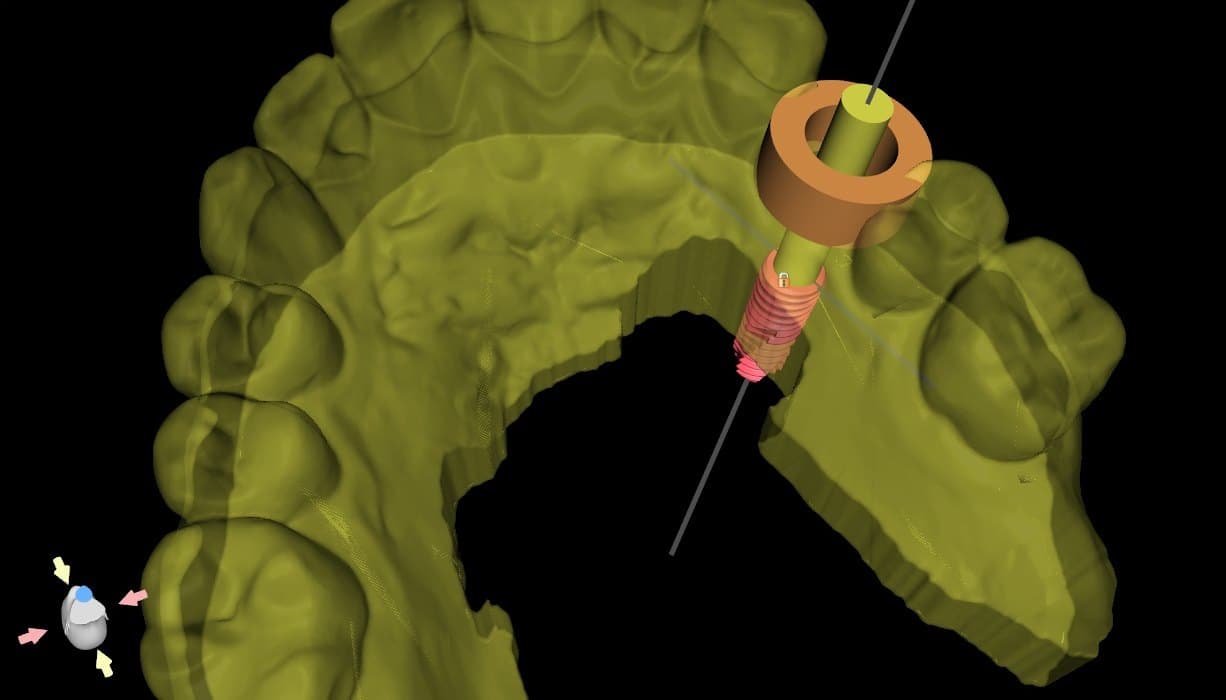
Planning view checking a guide sleeve and the drill path of a planned implant before the guide is released
Unaltered clinical record

03

Validation

What it shows
The sleeve and drill path checked inside the plan, before the guide is released.
The decision
Is the planned path clear, accessible and safe to transfer?
Why it matters
Problems found here are corrected before surgery, not during it.
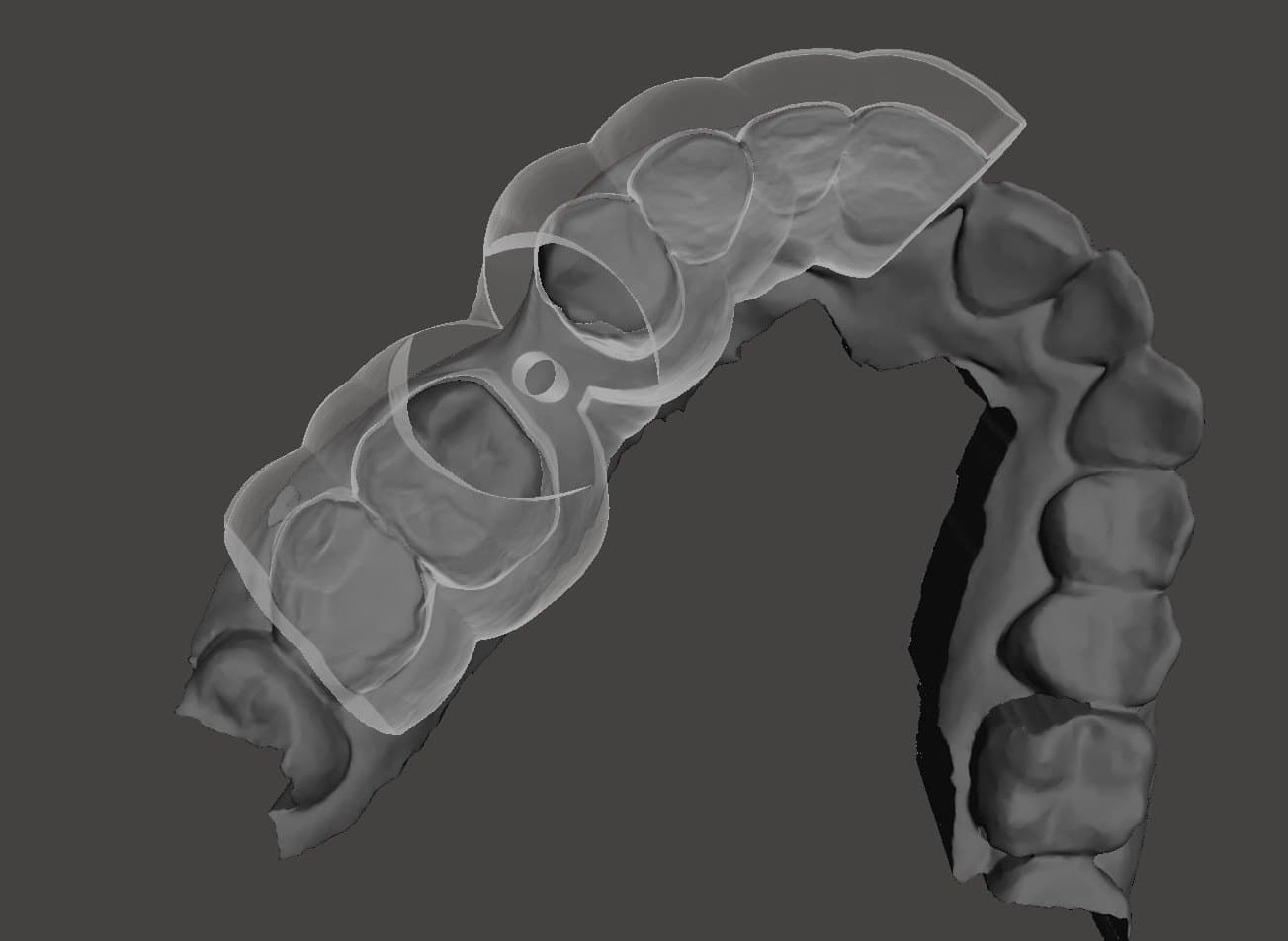
Surgical guide body shown over the dental scan to assess how the guide is supported on the teeth before release
Unaltered clinical record

04

Guide strategy

What it shows
The guide body assessed over the scan — where it rests and how it is supported.
The decision
The support and seating strategy for this case.
Why it matters
A guide that can rock or mis-seat transfers the error, not the plan.
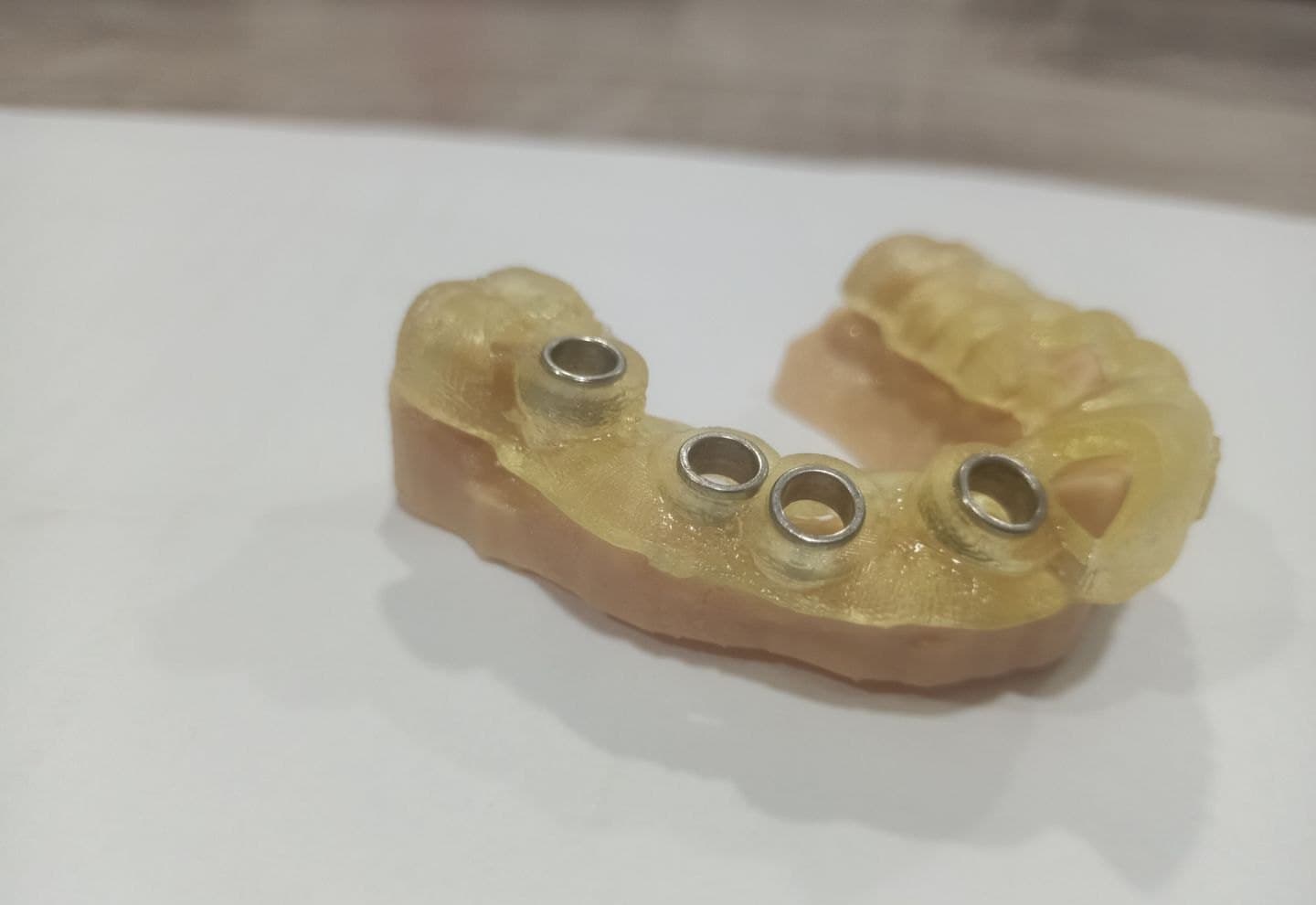
3D-printed surgical guide with metal sleeves seated on a printed model
Unaltered clinical record

05

Clinical transfer

What it shows
A printed guide with its metal sleeves, seated on a printed model. Shown on the model — not in surgery.
The decision
The guide carries the validated plan to the patient.
Why it matters
A precise guide cannot correct an unvalidated plan.
↺

06

Review

What it shows
Compare the intended plan with the surgical and restorative result.
The decision
Identify where the workflow followed — or deviated from — the plan.
Why it matters
Review is what turns one case into better judgement on the next.
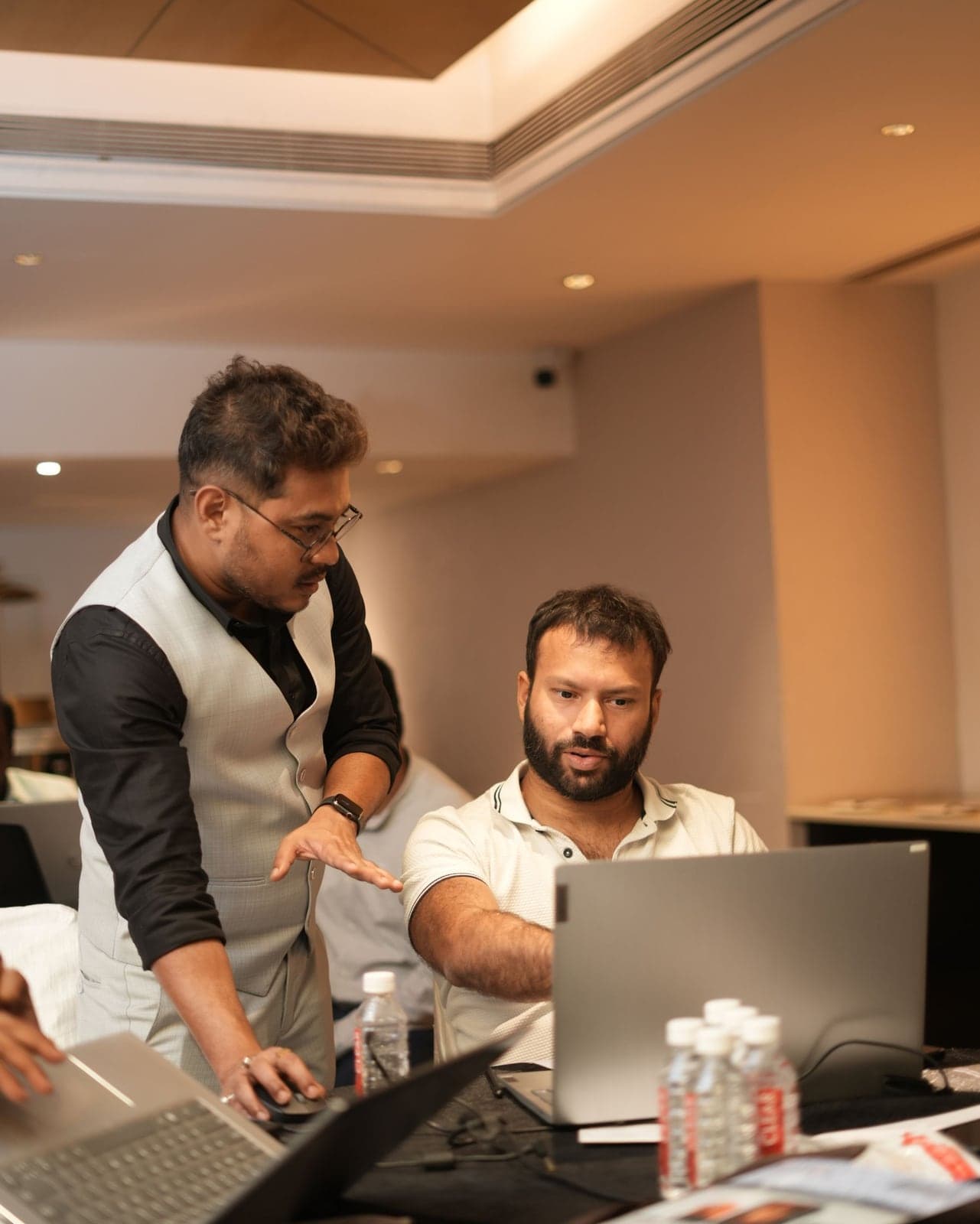
Sudeep Paul mentoring a clinician one-to-one through a guided plan

18+ yrs

working with engineers, global practices and implant companies

Your Mentor

Learn the workflow from someone who works inside it.

Sudeep Paul has spent more than 18 years in digital implantology, guided workflows, surgical planning and full-arch rehabilitation. Across a wide range of cases and multiple planning systems, one lesson held: technology is useful only when the clinician knows what to ask of it. As a BlueSkyPlan Key Opinion Leader (KOL), he has mentored clinicians on digital planning workflows.

“My objective is not to make you dependent on a planner or a software operator. It is to help you understand the workflow deeply enough to question it, validate it and control the decisions that matter.”
The Experience

Three days to see the workflow, question it and understand the decisions behind it.

See · Question · Work through · Discuss

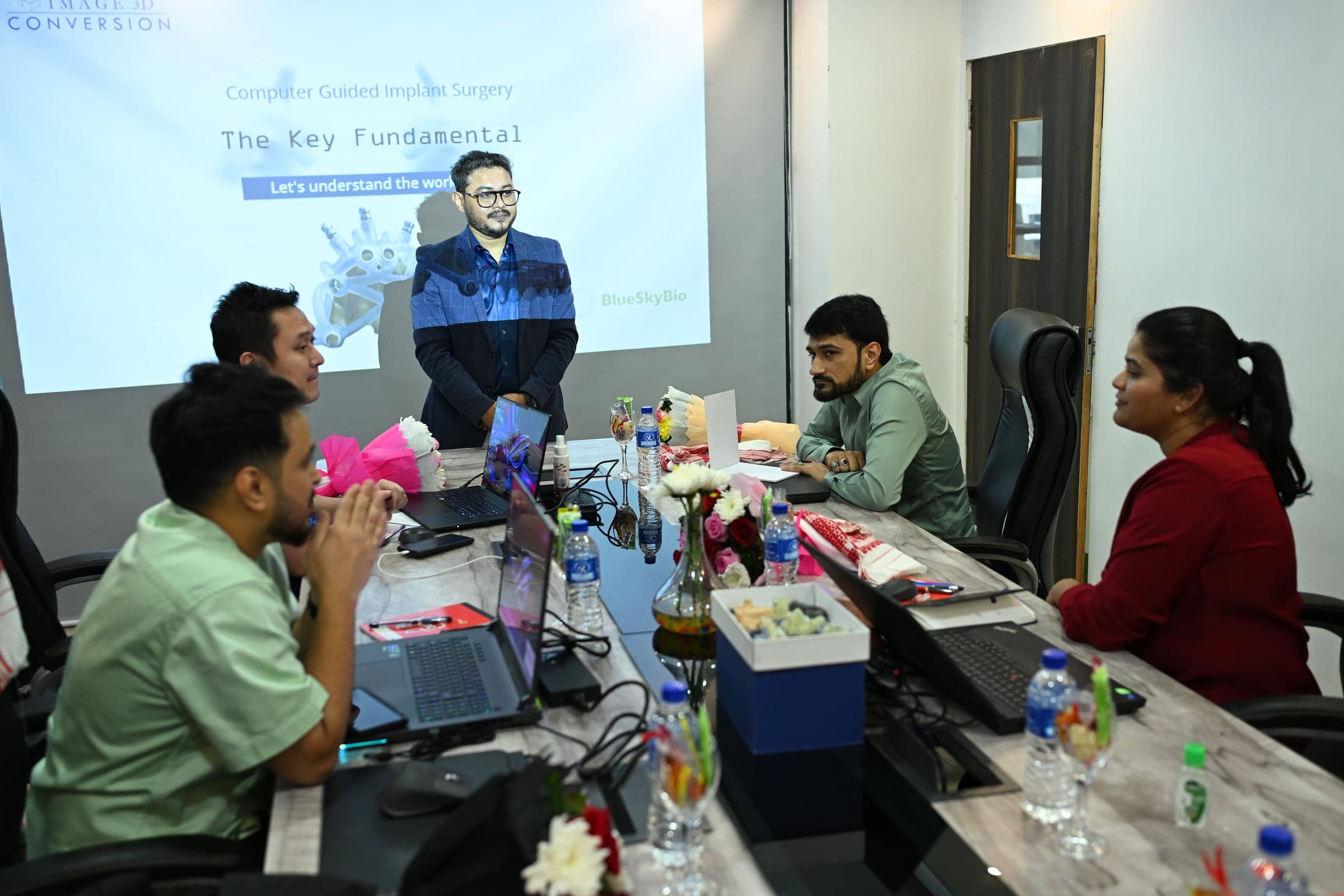
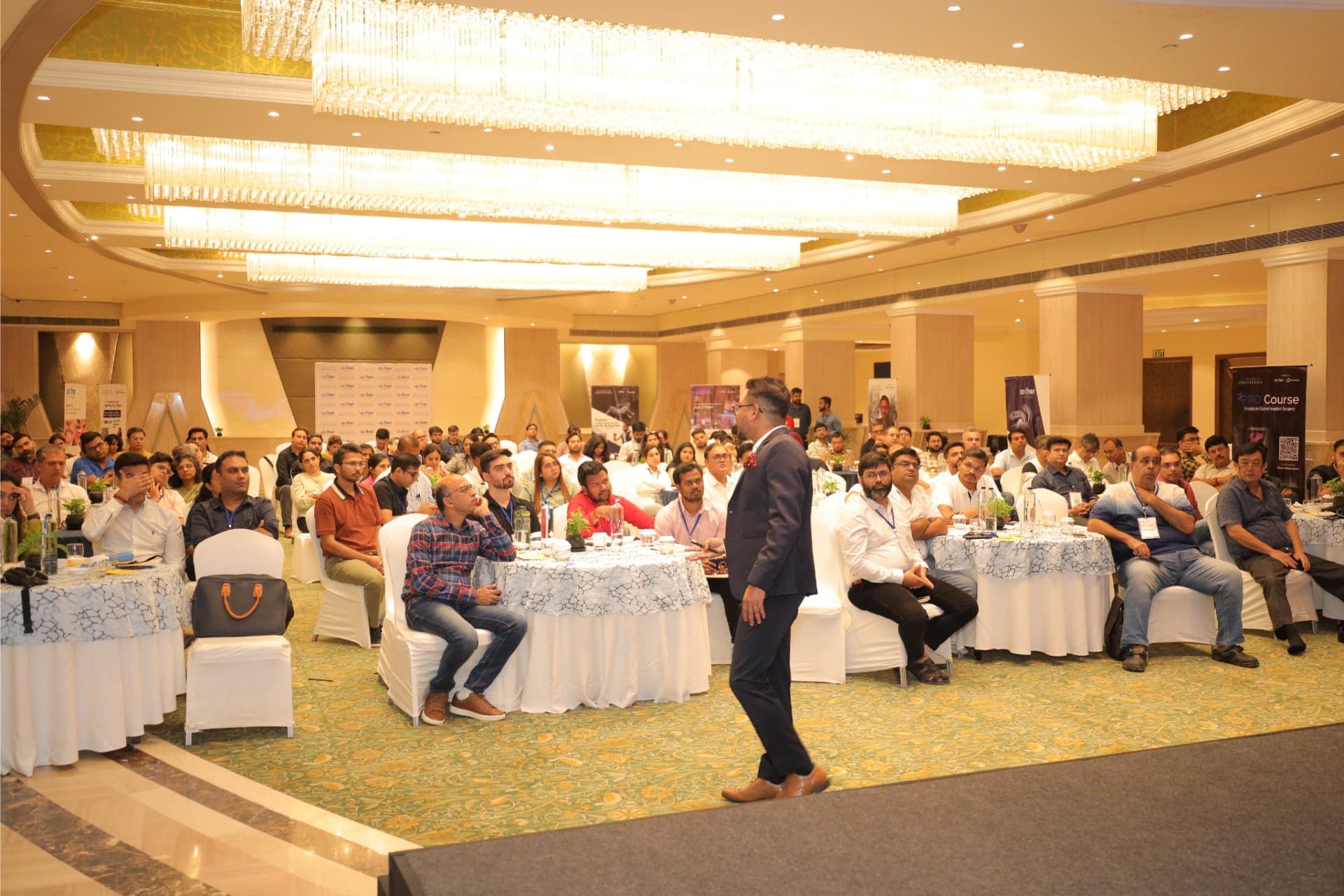
Participants working through a guided workflow at a SurgiGuideExcellence master class
  1. Day 1

    Foundations → Decision-Making → Single Implant Planning → Guide Design

  2. Day 2

    Treatment Planning Mastery → Full-Arch Case Management

  3. Day 3

    Drill → Guide → Live Printing

The objective is not to leave with more screenshots. It is to leave with a better way to think through the case.

The Investment

Three days. One connected implant workflow.

SGE 3-Day Master Class

Pune

Dates
29–31 January 2027
Mentor
Sudeep Paul
Venue
Venue to be announced soon

Investment

₹36,000

including GST

  • Planning understanding
  • Validation discipline
  • Workflow judgement
  • Design awareness
  • Greater control
Get Pune programme details

Review the programme and speak with the SGE team before deciding.

Payments are processed securely by Image 3D Conversion Private Limited. Confirmed participants receive payment details from the SGE team.

The goal is not to make every case guided. The goal is to help you make better decisions about the cases that should be.

Testimonials

What clinicians say

Rated 5 out of 5
Sincere appreciation to @paulsudeep05 and his team @image3dconversion for his excellent mentorship, structured teaching, and practical clinical insights that made the learning experience truly impactful.
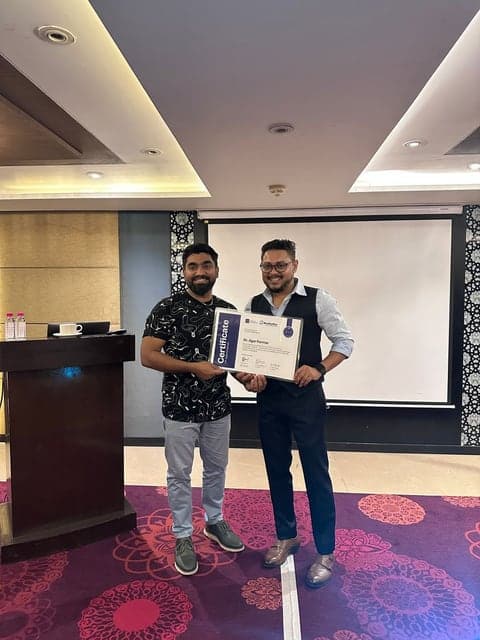
Dr Jigar Parmar receiving a SurgiGuideExcellence certificateDr Jigar ParmarProsthodontist
Rated 5 out of 5
Every time I do a guided surgery..always thank God that I met you brother..who introduced me to this fabulous concept.
Dr Satpreet Bhasin receiving a SurgiGuideExcellence certificateDr Satpreet BhasinProsthodontist and Implantologist
Rated 5 out of 5
You are the best mentor I mean the way you teach is impeccable you have made the software look so easy those words of yours Cant get out of my head thanks again boss WORD - Thank you is very underappreciating for you
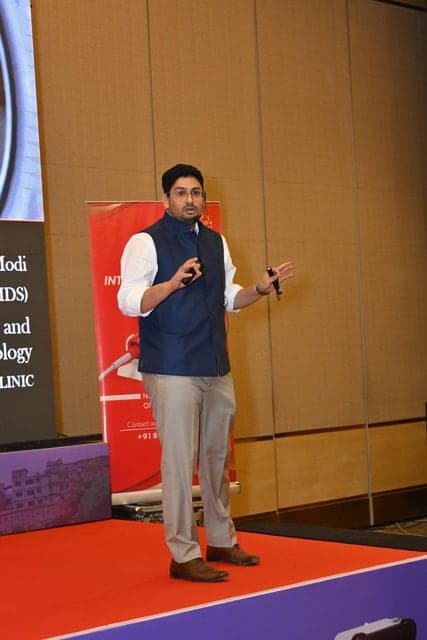
Dr Harshil Modi receiving a SurgiGuideExcellence certificateDr Harshil ModiImplantologist
FAQ

Frequently Asked Questions

Everything you need to know before getting started

Is this a hands-on workshop or a theory-based course?

This is a complete 3-day hands-on practical programme. All three days focus on practical learning in digital implantology software and clinically oriented workflows, including digital implant planning, prosthetic considerations, guided-surgery planning and clinical decision-making. This is not just a lecture or software demonstration.

Is this suitable for beginners?

Yes. The programme is designed for dentists from beginner to advanced levels. You do not need to be an experienced digital implantologist to attend.

Do I need to already perform implant surgery?

No. Previous implant-surgery experience is not mandatory. The programme helps you understand implant and prosthetic planning, guided workflows and the clinical decision-making behind digital implantology.

Is this a software course?

Yes. It is a dedicated digital implantology software programme with a strong clinical focus. You will learn how digital planning connects implant positioning, prosthetic decisions and guided-surgery workflows.

I already place implants freehand. Is this programme relevant to me?

Yes. The programme helps experienced clinicians understand how digital planning and guided workflows can be integrated into their existing implant practice.

Do I need a particular planning software?

No. The workshop teaches digital implant planning principles that apply across different software platforms. For hands-on training, we use BlueSkyPlan as the primary training platform.

What if I already use surgical guides?

The programme goes beyond simply using a surgical guide. It focuses on the planning, prosthetic thinking and clinical decisions that come before guide production.

Will I learn surgical-guide design?

You will work through guided-surgery planning and understand how surgical-guide design relates to implant positioning, prosthetic planning and the overall clinical workflow.

Where is the Pune venue?

Venue to be announced soon. 29–31 January 2027.

What is the fee?

₹36,000 including GST.

Is Pune the right next step for your implant workflow?

You do not need to decide or pay at this stage.

Pune 3-Day Master Class

29–31 January 2027
Venue to be announced soon
₹36,000 including GST

Submit your enquiry. Our team will contact you with registration and payment instructions separately. PaulSudeep.com does not collect payments.

Your enquiry

Understand the planning. Control the workflow.

Execute with confidence.